Introduction to Authentication Claims In IVAAP
This document details steps to identify which authentication token claims/fields from external authentication need to be configured in IVAAP. The authentication claims are used by IVAAP to extract information about the user from the tokens generated when a user logs into IVAAP.
IVAAP will extract the following information from the authorization tokens:
- Username (required) (unique) = This field is used to uniquely identify the user.
- Email (Optional) = The email address associated with the user.
- Last Name (Optional) the last name of the user
- First Name (Optional) the first name of the user
When displaying list of users IVAAP will either use Username or First Name + Last Name.
Generating Authentication Tokens Outside of IVAAP
Most HTTP Request Clients such as Postman, Insomnia, and Bruno can be used to simulate generation of external authentication workflow used in IVAAP. This is useful for validating that authentication parameters are correctly specified and determine what token claims need to be configured in IVAAP.
In Postman, Insomnia, and Bruno, you will want to create a new Request, click on the "Auth" or "Authentication" tab. There will be an option to configuration which authentication type to use, you will want to select "OAuth 2.0".
Make sure that "Authorization Code" is selected for "Grant Type".
There will be a configuration section where you can configure the different authentication settings. You will need to configure the following settings:
- Callback URL - This should match the callback url used in IVAAP. This callback url should be {{IVAAP_HOST}}/IVAAPServer/api/v2/callback
- Authorization URL - IVAAP will automatically extract this url by calling the discovery url
- Access Token URL - IVAAP will automatically extract this url by calling the discovery url
- Client ID - This should match same client id that will be configured in IVAAP
- Client Secret - This should match the client secret that will be configured in IVAAP. For security reasons, the client secret configured in IVAAP will be encoded, you will need to user the non-encoded client secret in Postman, Insmonia, or Bruno
- Scope - This should match same client id that will be configured in IVAAP
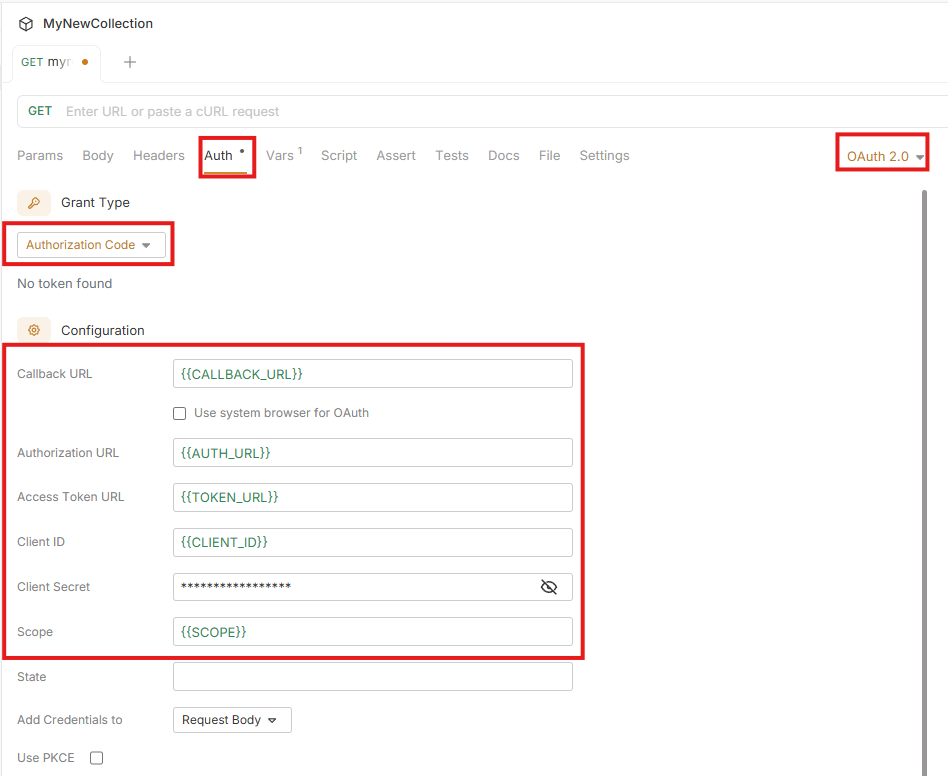
After the configuration options have been set, you will need to generate the tokens. For insomnia, this can be done by clicking on "Fetch Tokens", in Bruno this can be done by clicking on "Get Access Token". When this option is selected, you will be prompted to enter in your username and password. After the username and password has been successfully entered, the authentication tokens will be generated.
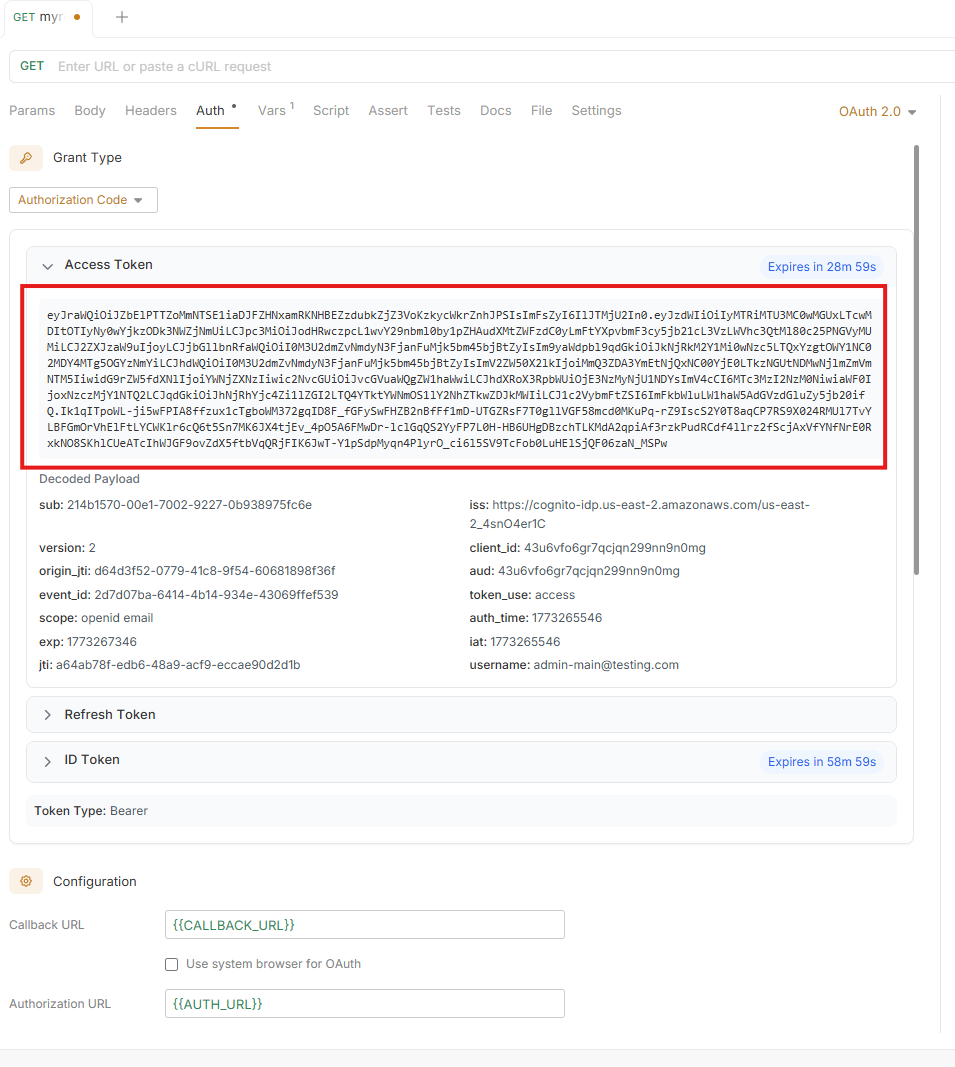
Discover Claims Needed by IVAAP From Access Token
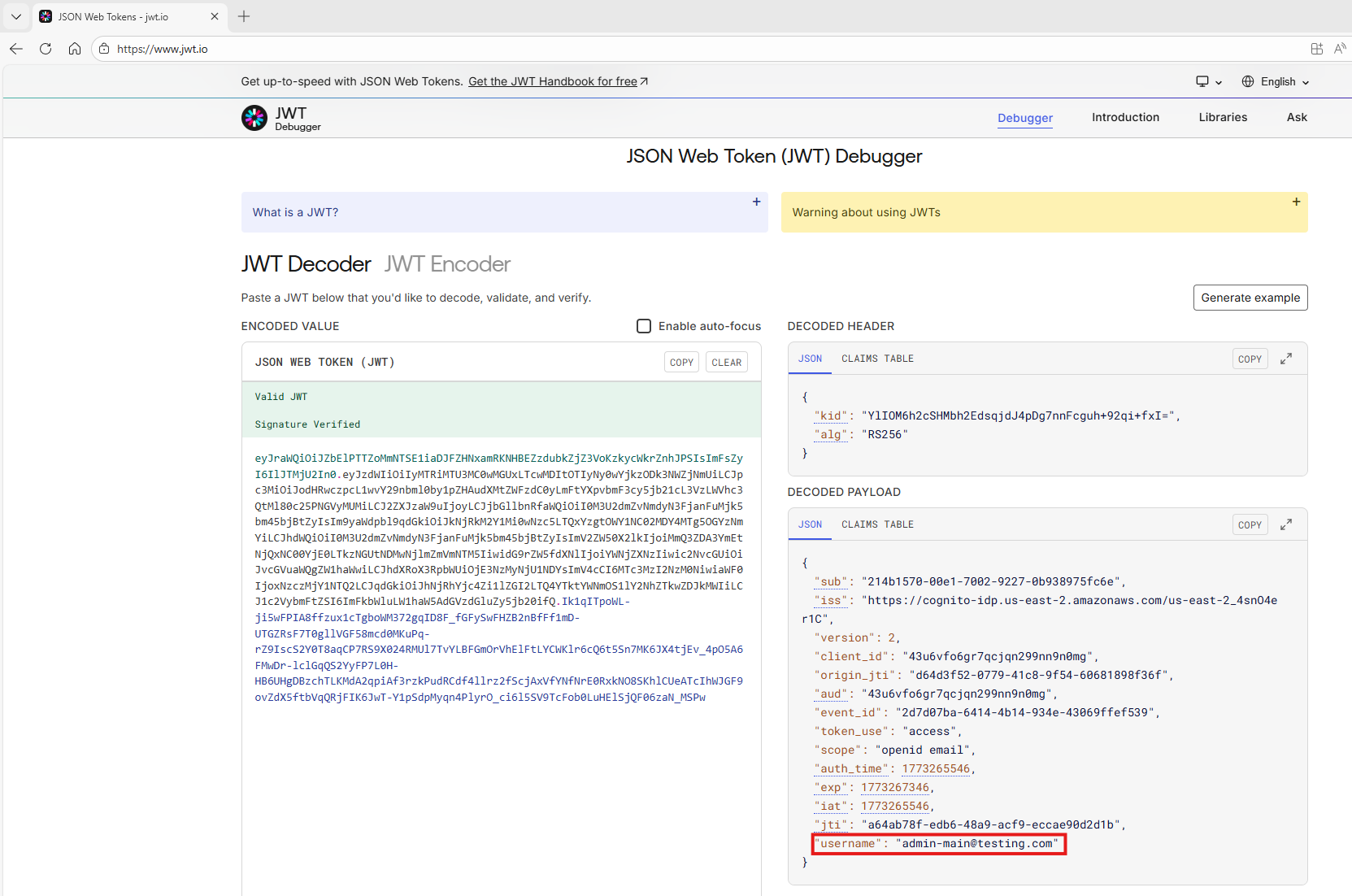
After generating authentication tokens from your preferred HTTP client, go to https://www.jwt.io and paste the access token into the "JWT Decoder" of the site.
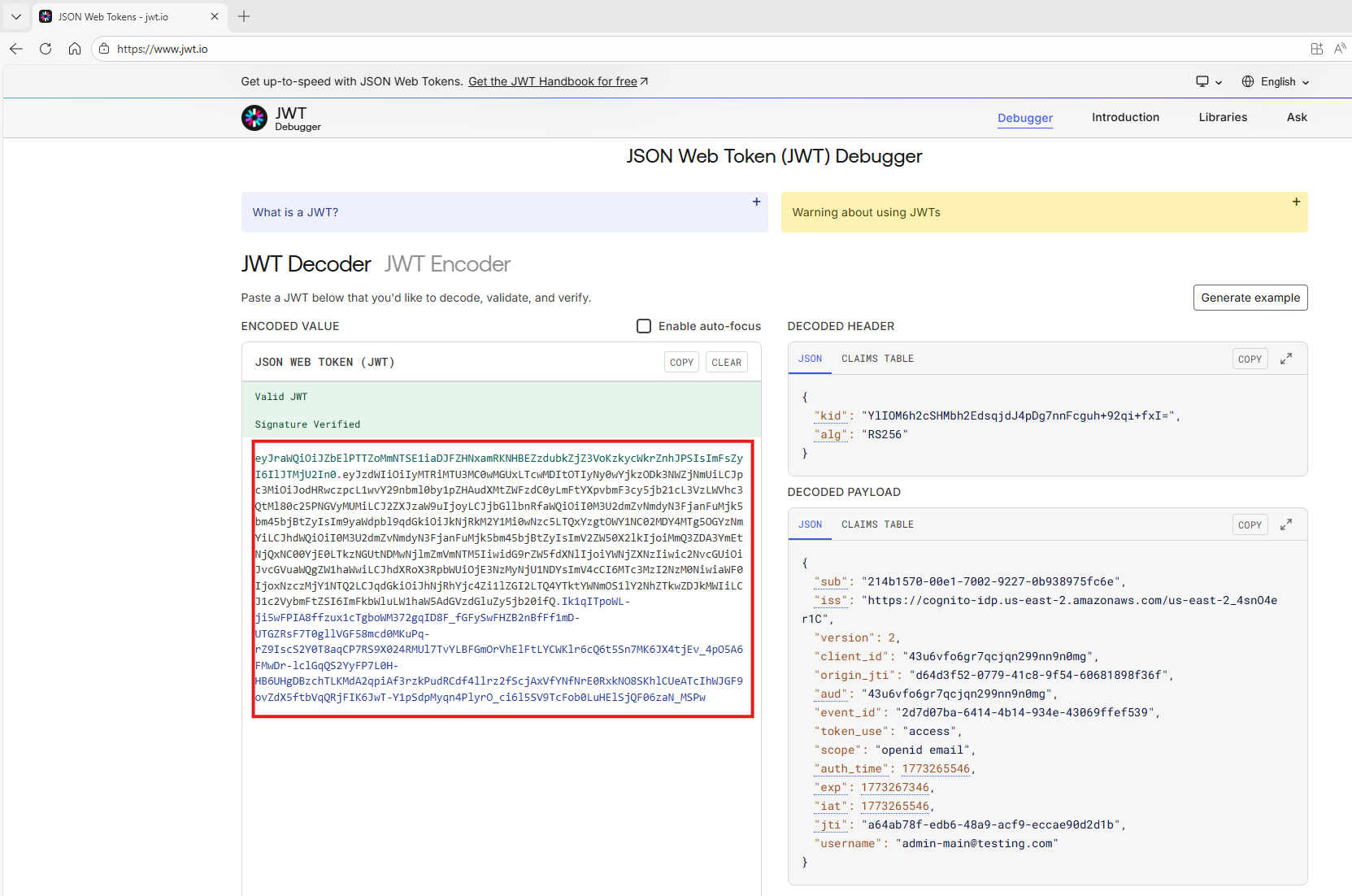
In the decoded payload section to the right, you will want to try to find the claims/fields associated with the following data - Username - Email (Optional) - Last Name (Optional) - First Name (Optional)
IVAAP will need to be configured to retrieve user information based on these claims. The Username claim must be unique. To ensure the Username claim is unique and to make for easy configuration of admin and super admin users in IVAAP, it is recommended to have the Username claim be associated with a user's email.
While the email claim is optional, we recommend configuring because this field is used for different configuration options.